Buying a Second Hand Smartphone? How to Check It’s Not a Stolen Phone
BUYING A SECOND HAND SMARTPHONE?
ELIMINATE THE RISKS
Two weeks ago, I wrote a tip about selling on Gumtree as I was trying to sell a brand new iPhone. Good news, I finally sold it! I was suspicious of several enquiries though, as detailed in a previous newsletter.
When the buyer collected the iPhone from me, he asked me what the IMEI was.
IMEI (International Mobile Equipment Identity) is “a globally unique 15 digit number assigned to all cellular devices, which identifies your device within the mobile network. We can use this number to block a mobile phone from being used by another person or phone company if it has been lost or stolen” (Source: Optus)
We were able to verify the iPhone I was selling was not a stolen phone, and hence prompted this tech tip for the week!
You can score a bargain when purchasing a second hand smartphone or a brand new smartphone from a seller, but there can be risks involved.
There are few things you can check to ensure the phone works, and is not stolen
Here are our tips when buying a second device (or a brand new one from a seller. ie not a retail store)
ELIMINATE THE RISKS BY:
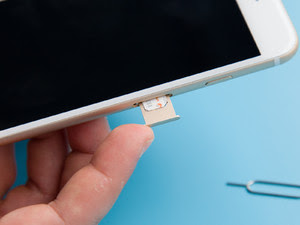 |
1. CHECK THE PHONE IS NOT LOCKED TO A PARTICULAR CARRIER
If phones are purchased through a Telco, they can be locked a specific carrier, and it may cost you an “unlocking fee” if you want to use your own sim card. Always buy phones that are “unlocked”, so you can use it with any sim card. Check that the handset is not locked to a network by popping your own SIM card in. If the handset is locked, only the named account holder will be able to unlock the phone, so you will have to ask the seller to get it unlocked. |
 |
2. IF BUYING A USED HANDSET, CHECK: BUTTONS, TOUCHSCREEN, CHARGER PORTS, SPEAKER
Before you hand over the money, make a call from the handset to ensure the mic and speakers are working. Test any physical buttons on the device, and the touch screen. You may even want to take photos using the camera to make sure the lens are not scratched. Check the charger ports to ensure it’s not damaged |
 |
3. CHECK THE IMEI
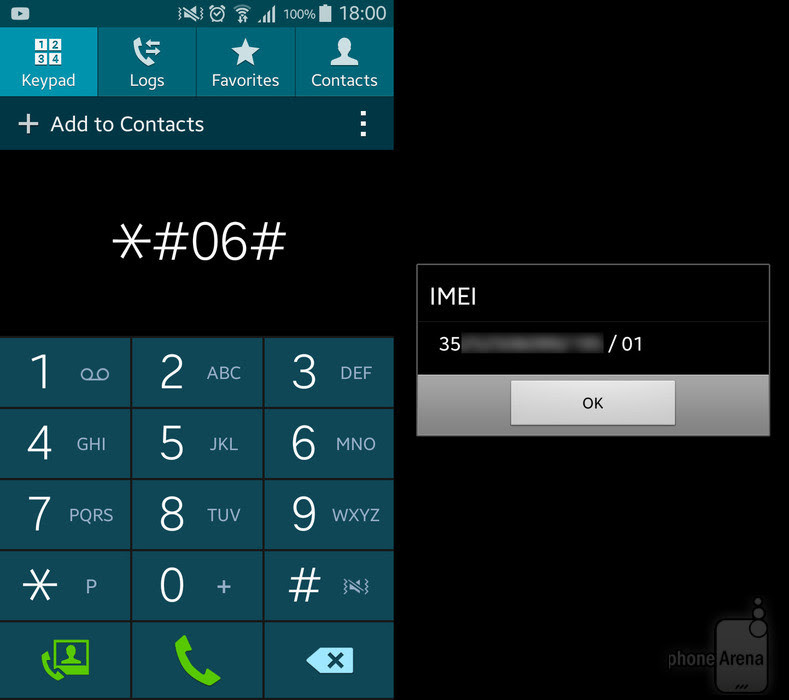
Check the IMEI number to ensure the handset is not a stolen mobile (keep in mind that you will only know if the handset has been reported lost or stolen.)
There are a few ways to find the IMEI number. One way is to use the keyboard and dial: You can check the status of the mobile by entering the unique IMEI into these websites: http://www.lost.amta.org.au/IMEI http://www.imeipro.info/ |
Hope you found this tip helpful!

You may also like
iPhone Photos Visual Look-Up Feature
Linking your COVID vaccination certificate to the Services Victoria App